
Move the mouse to the top center of the video of current channel, the control bar will show up.
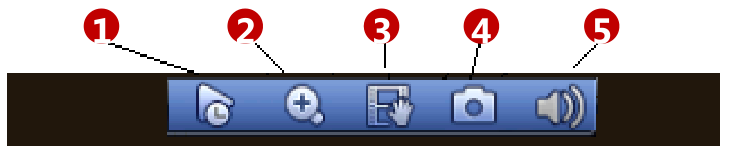
- Realtime Play: It is to replay the previous 5-60 minutes record of current channel. Main menu->Setting->General to reset real-time playback time.
- Zoom: Click the button and select an interested region to view the zoomed in image, or just point the cursor to the interested point and scroll up and down.
- Remote Device: Click it to go to the remote device interface to add/delete remote device or view its
corresponding information. - Realtime Backup: It is to backup the video of current channel to the USB device. Click button , system begins recording. Click it again, system stops recording.
- Audio Talk: Click the button to enable the bidirectional talk function, which will cancel bidirectional talk of other IP channels temporarily.